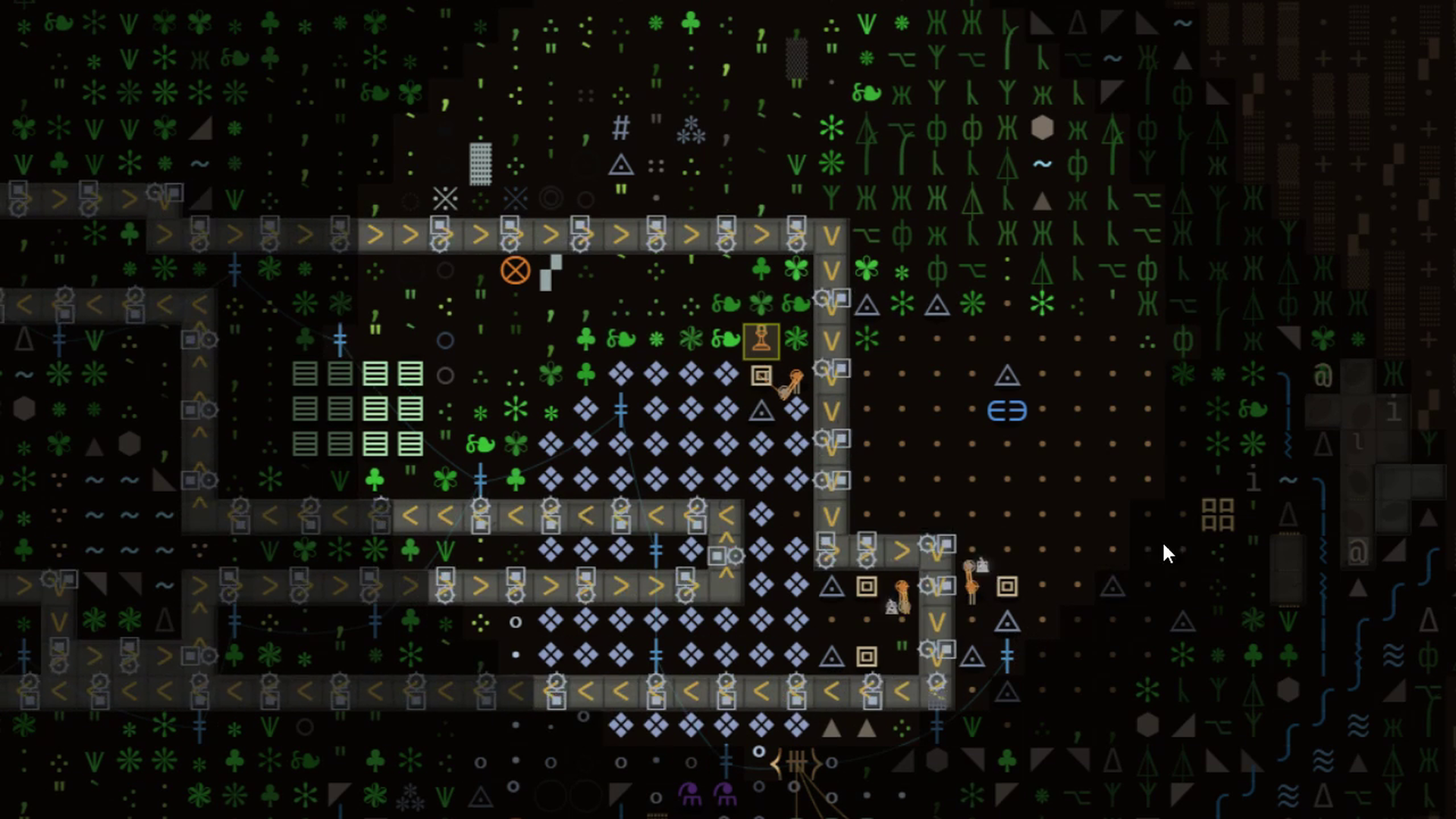
Written for Textorio 0.9.7. Use live tile descriptions and machine panels for the current item requirements and component settings.
Start with the smallest useful production line
Before building a long conveyor network, connect one source to one destination with a short, easy-to-read route. You want to see an item leave the source, move along the belt and arrive where it is useful. That proves the chain before you add distance, turns or branches.
Keep access to the input and output buffers while testing. A machine that has finished producing but cannot empty its output can look like a supply failure upstream. Equally, a moving belt does not prove that the destination is receiving the ingredient it needs.
Press K and point at a tile to identify it. Inspect the belt's direction and cargo, then open the destination's panel. Work from visible evidence instead of rebuilding a whole line because one section looks quiet.
Two lanes mean two paths to inspect
Textorio belts carry cargo in two lanes. Look at both when diagnosing a blockage: space in one lane does not tell you what is happening to the cargo in the other. Turns and side feeds change the route an item takes, so inspect the actual junction rather than assuming it behaves like a straight section.
For a first line, keep the cargo type and destination simple. Once that line works, add the second material or merge. You then know which change introduced the new behaviour, and can remove just that change while testing.
A splitter is a routing component. It can distribute a flow, but it does not create more material or make a blocked consumer accept an item. If a branch stops, follow that branch to its end before replacing the splitter.
Use this checklist when a line stalls
- Check the destination. Does it accept this item? Is its input or storage full? Is its output blocked?
- Inspect the last transfer. Check any inserter between the belt and the machine, including its orientation and the requirements shown in its own panel.
- Trace the belt backward. Look for a reversed segment, a gap, a turn or a merge where cargo stops advancing.
- Inspect both lanes. Find which cargo is waiting and whether the next section can receive it.
- Check the source. Is the miner or producer actually making output, or is the belt waiting for something upstream?
- Restore one missing condition. Watch the line respond before making another change.
This order prevents a common waste of time: increasing production when the real problem is a full destination. A backed-up belt can be evidence that the supply is healthy and demand has stopped.
Belts, inserters and power solve different jobs
Belts move items along a route. Inserters transfer them between positions such as a belt and a machine. Machines process them according to their recipe and operating conditions. A working transport path still needs a functioning consumer at the end.
Inspect each component on its own terms. Do not assume that connecting a conveyor also supplies a machine with electricity, water or steam. If a destination has all its ingredients but remains idle, use the power guide and inspect the other requirements displayed in its panel.
Keep fluid pipes and item transport mentally separate when tracing a fault. The visible material waiting on the belt can be an effect of a missing fluid input inside the consumer.
Expand after the chain works
Once the short route is reliable, extend it in steps. Add a branch, observe both destinations, then increase the source if the consumers are genuinely short of material. Leave room around busy transfer points so that the next change stays readable.
Buffers can absorb brief interruptions, but a buffer that steadily empties reveals a continuing mismatch between supply and consumption. A buffer that stays full suggests that increasing upstream output will not help that destination yet.
When reporting an unexplained corner or lane problem, include a screenshot showing direction arrows, the approach, the junction and the destination. Add the item type and game version. A close-up of one blocked tile often hides the information needed to reproduce it. Use Report a bug for a reproducible case.
Your next factory starts here
Try it. Build something of your own.
See how Textorio feels to play, then decide whether to make the full game your next factory.
The free demo and paid game are available from the Textorio Steam page.