Written for Textorio 0.9.7. Kepler Online is a separate paid-game mode beside the campaign. Shared neighbours and saved ghost towns need the network service.
Choose a home by reading the planet
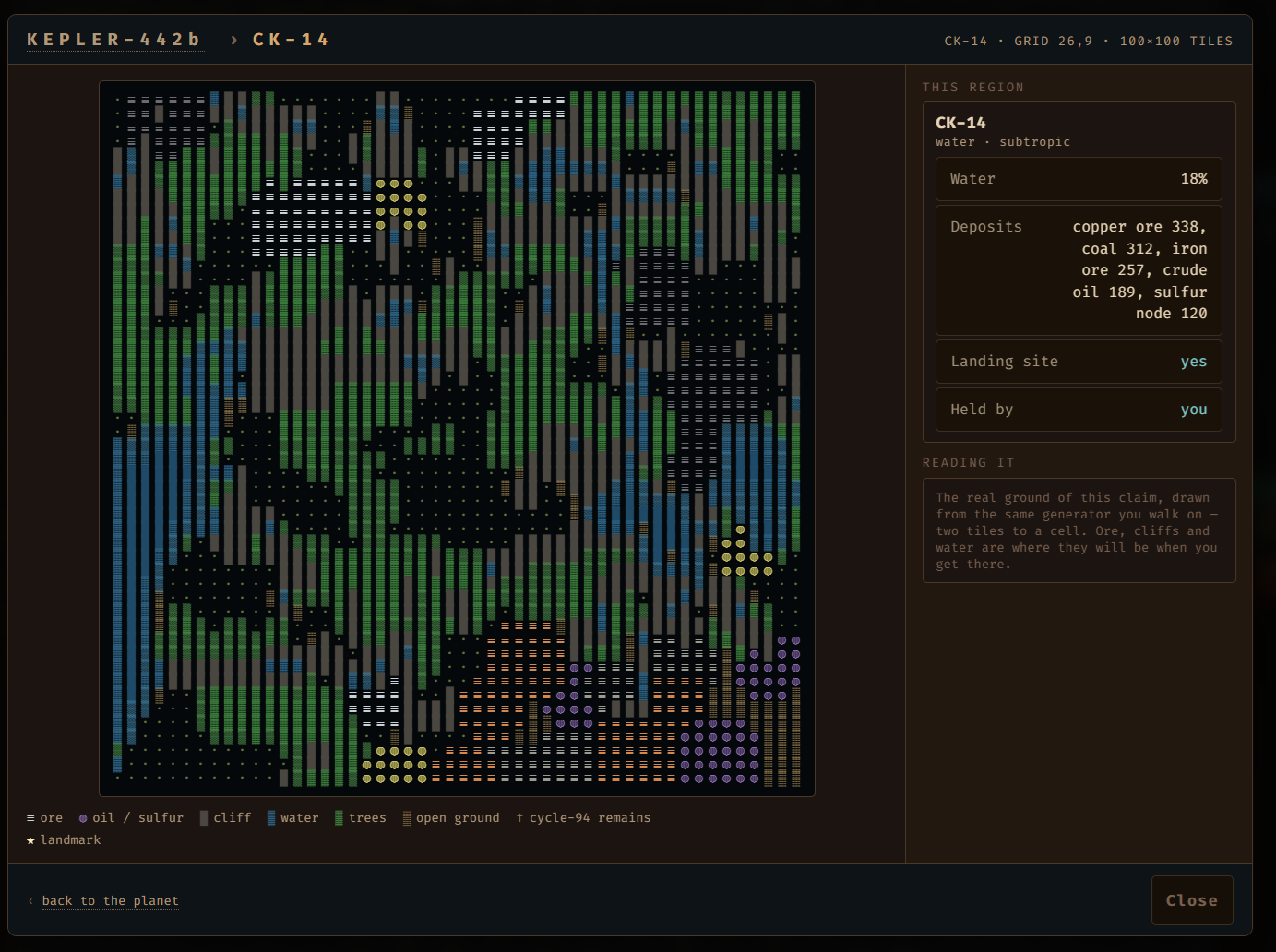
Open Kepler Online and inspect the planet picker before descending. The grid shows regions, landing sites and occupied locations. Open a region preview to look at terrain and deposits. Its water coverage and resource mix are useful information, not just decoration around the map.
Each region is 100 by 100 tiles. Everyone visiting the same region starts from the same generated terrain. Resource distribution varies across the planet, so a region that is convenient for your first steps may lead you to explore elsewhere for later materials.
Your first permanent region is home, and the colony belongs there. Choose somewhere you want to keep returning to. Do not pick solely by the largest number in the deposit list: water access, usable ground and a route through the terrain also affect how you will build.
Set your operator name if you want to participate with an identity in the shared world. Leaving the name blank lets you play the planet alone. The picker includes a live network status line, so inspect that before expecting other operators to appear.
Establish a small base before travelling
Get a basic production loop working and learn the layout of your home region. Keep track of where useful resources and your main supplies are. The beginner guide covers the opening factory controls, while the colony guide explains the settlement supply loop.
Buildings stay in the region where you construct them. Crossing a border does not pack your factory into your inventory. Plan an excursion around what you are carrying and what you intend to find, rather than assuming all your home machinery travels with you.
Press K and point at a tile when you need its description. That inspection is especially useful when you encounter unfamiliar structures or remnants outside your starting area.
Cross borders deliberately
Walk to the edge of a region and press E to cross into the neighbouring one. Exploration is region by region, and fog belongs to each region. Keep an eye on your location so that a resource trip has a clear return route.
The planet saves on crossings. Still use the normal save controls when you finish a session, rather than treating a recent border crossing as a substitute for saving everything you have done since arriving.
Outposts can continue their production while you are playing in another region. They do not run while the game is closed. That distinction matters when planning logistics: travel within a session and leaving the application are different events.
What are other players' ghost towns?
Ghost towns are other operators' saved structures shown in the shared world. They let you discover what someone built in a region, but they are inactive, read-only traces. You cannot open their buildings, mine them away or take their inventories.
That makes Kepler Online different from live co-op. Seeing another operator's base does not mean that you are jointly running a synchronized factory with them. Choose the mode for exploration, a common planet and the evidence of other builders' decisions.
Factory Wars is a separate competitive mode. Do not use instructions for that mode as a guide to joining Kepler, and do not assume that a ghost town is an invitation to a live match.
Return through Continue, not a new landing
Kepler progress is stored separately from campaign progress. Use Continue from the Kepler Online menu to return to your saved planet. Starting another landing is a different action; check what you are opening before committing to a new start.
The current game includes Kepler saving through its normal save paths, including quicksave and Save & Quit. Watch for the save result before closing the game. If a save fails, keep the session open long enough to read the message and resolve the problem.
For troubleshooting, note whether you started with Continue, which region you were in, and whether the problem occurred before or after a border crossing. Include the game version when using the bug report form. Those details are more useful than “online lost my base” without a sequence to reproduce.
Start with one reason to leave home
Pick a small expedition: inspect the next region, locate a resource you need, or visit a saved settlement. Return home and use what you learned before extending the route. The larger planet is more interesting when each trip changes a decision in your factory.
If you want a fully disconnected session instead, use the local campaign and prepare Steam beforehand. The offline play guide explains which features need a network connection.
Your next factory starts here
Try it. Build something of your own.
See how Textorio feels to play, then decide whether to make the full game your next factory.
The free demo and paid game are available from the Textorio Steam page.